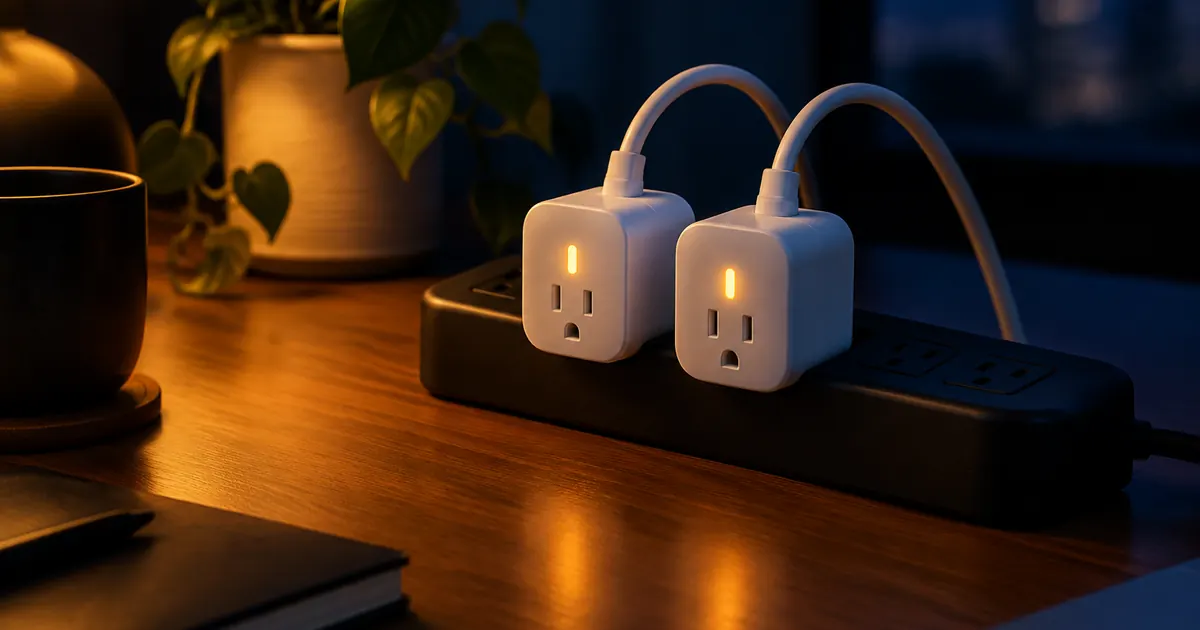
The smart plug is the unsung hero of home automation. It's a $15–$25 adapter that makes any dumb appliance schedulable, voice-controlled, and — if you pick the right model — energy-monitored. No electrician, no hub, no subscription. But most people use smart plugs for one lamp and never touch the features that actually pay for them.
Here's what smart plugs can really do, and where they save the most money.
What a Smart Plug Actually Does
A smart plug sits between your wall outlet and your appliance. It relays the outlet's power on command from an app, a voice assistant, or a schedule. That's the whole trick — and it's more powerful than it sounds, because "on a schedule" and "voice-controlled" cover a surprising range of household problems.
The four core uses
- Scheduling: coffee maker at 6:45am, space heater off at 11pm, holiday lights at dusk
- Voice control: "Alexa, turn off the fan" without leaving the couch
- Remote control: check and switch anything from your phone, anywhere
- Energy monitoring: see exactly what each device costs you per day, month, or year
Energy Monitoring: The Feature That Pays for the Plug
Models like our energy-monitoring smart plug measure real-time draw in watts and accumulate it into daily and monthly totals. Most homes contain at least one genuine surprise:
- The old garage refrigerator: a 20-year-old fridge can cost $150+/year — often more than the food inside is worth
- Entertainment centers: game consoles and soundbars draw 10–30W around the clock in standby
- Space heaters: 1,500W each — the monitoring makes the cost of "just warming up" visible in dollars
- Server closets and modems: always-on gear that quietly adds $10–$20/month
Once you can see the numbers, the fixes are obvious: plug the entertainment center into a smart power strip and kill the whole cluster at bedtime, or finally replace the garage fridge.
Which Appliances to Automate First
High-value targets
- Space heaters and window AC units: the biggest safety win — a heater that's guaranteed off beats one you hope is off
- Coffee makers with physical switches: wake up to a ready pot
- Holiday and outdoor lighting: dusk-to-dawn schedules without timers to reset
- Fans: run on a schedule instead of all night
Know the limits
Smart plugs handle resistive loads (heaters, lights, fans) beautifully. They're wrong for: medical equipment, anything with a hard reset cycle you'd interrupt, and appliances with electronic controls that don't resume after power loss. Check the plug's max rating — ours handle 15A/1800W, which covers nearly everything on a standard outlet except large fixed appliances.
Outdoor Plugs: The Overlooked Upgrade
A weather-resistant outdoor smart plug like our dual-outlet outdoor model transforms porch lights, garden lighting, and seasonal decor. Two independent outlets mean the string lights and the spotlight can run on different schedules. Look for a weatherproof cover that actually closes over connected cords — ours does.
Setup: What to Expect
Pairing takes about two minutes: plug in, open the app, connect the plug to your 2.4GHz network, and link your voice assistant. The most common setup snag is a router that merges 2.4GHz and 5GHz into one network name — if pairing fails, temporarily split the bands or use the app's compatibility mode.
Voice Control and Routines for Plugs
Plugs respond to voice commands like any other smart device, but their real power shows in routines. Three worth building in your first week:
- The bedtime sweep: one command that kills the TV strip, the fans, and the coffee maker — nothing draws phantom power overnight
- The vacation shuffle: lights that toggle on and off in the evening while you're away, more convincing than leaving one lamp burning for a week
- The safety off: space heaters and curling irons on plugs that switch off automatically at a set time, every time
Each of these takes under two minutes to build in the Alexa or Google Home app, and together they're the difference between owning smart plugs and using them.
Understanding Standby Power: The $100 You're Burning
The US Department of Energy estimates standby ("vampire") draw at 5–10% of a home's electricity use — $100+ a year for a typical household. Energy-monitoring plugs make it visible: check the "always on" devices in the app and look for anything drawing 5W or more while doing nothing.
The usual suspects: game consoles (11–30W in standby), cable modems and routers in guest rooms, old DVD players, chargers for tools you haven't used since summer. Each one is small; the garage fridge is the one that matters. Monitoring turns "I should probably look into that" into a number with a dollar sign.
Smart Plugs vs. Smart Switches
If you find yourself wanting to control a whole room's lights, a smart plug per fixture gets clumsy fast. That's the point to graduate to smart switches or smart bulbs grouped by room. The rule of thumb we give customers:
- One or two devices to control: smart plug
- A whole fixture's lighting: smart bulb
- Every light in the room: group of bulbs, or a smart switch
Start with plugs — they're the cheapest way to learn what automation actually solves in your home, and nothing is wasted when you expand. Everything you learn about schedules and routines carries over to the rest of the smart home lineup.
Start With a Three-Pack Mentality
One smart plug is a novelty. Three or four — one for the entertainment center, one for a heater or fan, one outdoors — is a system. Browse our full smart plugs and power collection, all hub-free, all compatible with Alexa and Google Home, all shipped free.