Most home security cameras are mounted in the wrong place. Not because owners can't reach a drill — because they optimize for the wrong thing. A camera pointed at a blank backyard misses the driveway where every package lands; a camera buried in a bookshelf corner captures the top of a cat's head.
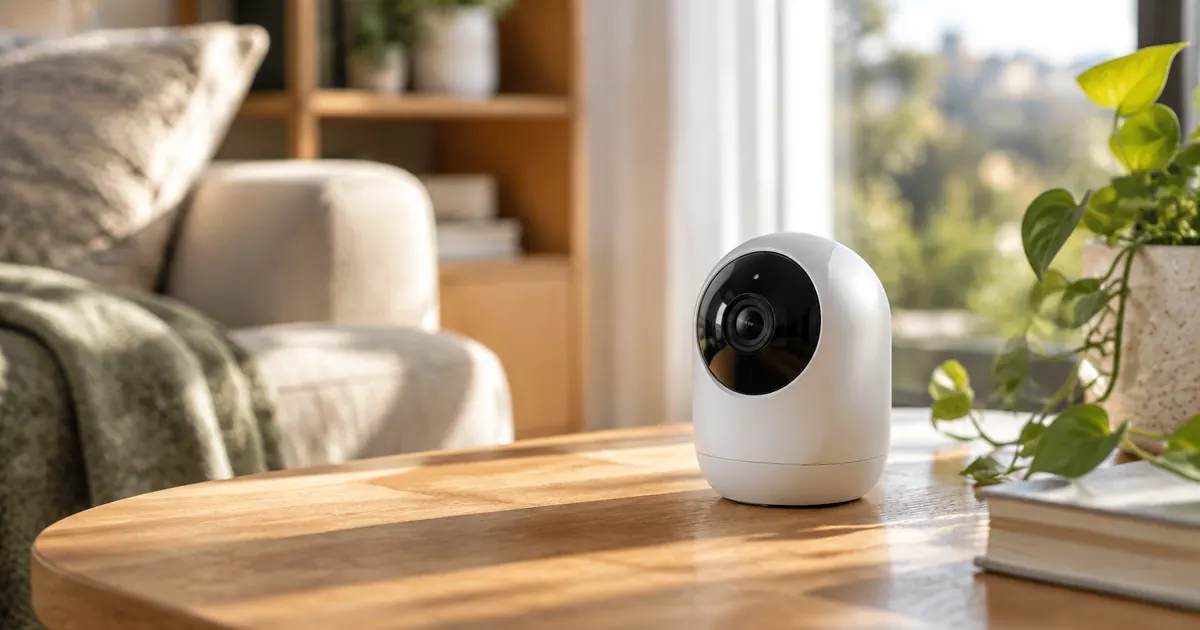
Placement beats price. A $90 camera in the right spot outperforms a $300 camera in the wrong one. Here are the six placements that matter, and how to set them up with a wire-free camera like our battery-powered stick-up camera.
1. The Front Door (Non-Negotiable)
Roughly a third of burglars enter through the front door, and 100% of package deliveries do. Mount the camera at about 8–9 feet high — high enough to prevent tampering, low enough to capture faces rather than hat tops. Angle it to cover the porch and the approach path, not just the door itself.
2. The Driveway
The driveway sees everything that matters arrive: cars, people, packages left at the garage. A camera here extends your warning time — you'll know someone's on the property before they reach the door. Motion zones matter here: set them to ignore the street so you're not notified by every passing car.
3. The Back Door and Yard
Back doors are entry points precisely because they're hidden. Cover the door itself, and if the yard is fenced, cover the gate — the single choke point every visitor and intruder passes through.
4. Main Indoor Traffic Areas
Indoors, one camera covering the main hallway or the kitchen/living room sightline tells you what's happening at home: kids arriving from school, a pet's day, whether you left the stove on. Keep it out of bedrooms and bathrooms — coverage of shared spaces is the goal, not surveillance of private ones.
5. Over Valuables (Discreetly)
A camera with a view of the safe, the gun cabinet, or the home office documents drawer is cheap insurance. This is a job for a second indoor unit, placed high and angled down.
6. The Garage or Side Gate
If your garage faces a side alley, it's the most vulnerable structure on the property. A weatherproof camera covering the garage door and the alley approach closes the loop.
Battery, Wi-Fi, and Storage: The Practical Trio
Battery life
Battery cameras live and die by motion settings. With motion zones trimmed to the actual area of interest (not the whole frame) and activity alerts at standard sensitivity, expect 4–8 weeks per charge. Cold weather shortens it; a solar panel extends it indefinitely.
Wi-Fi strength
Cameras at the property edge often sit at the edge of Wi-Fi range too. If live view is slow or clips fail to upload, a Wi-Fi extender halfway to the camera usually fixes it. Test live view at the mounting spot before final installation — hold the camera there and stream for a minute.
Storage and privacy
Decide before mounting: local storage (fast, private, lost if stolen) vs. cloud (survives theft, monthly fee) vs. both. And follow the golden rule of neighborly camera ownership: cover your property, not the sidewalk or the street. Most jurisdictions allow recording your own property; pointing cameras into public space invites disputes.
Mounting Height and Angle: The Two Settings That Matter
Security camera footage fails in two predictable ways: mounted too high (you get hair parts and shoulders) or angled too shallow (you get the horizon and nothing at ground level). The fixes are free:
- Height: 8–9 feet outdoors, 7–8 feet indoors. High enough to resist tampering, low enough for faces.
- Angle: tilt down 15–30 degrees. The camera's view should include the ground 6–10 feet in front of its target — faces live there.
Battery-powered wire-free cameras make this easy to iterate: hold the camera at the spot, check the live view on your phone, adjust before the mount ever touches the wall. Do this once and you'll never understand how people end up with ceiling shots.
Motion Zones: Your Notification Sanity
Every camera owner's journey ends at motion zones. Without them, you'll get an alert for every car, cat, and shadow — and within a week, notifications off, camera useless. With them, the camera only speaks when it matters.
- Draw zones around doors, walkways, and driveways — not the street or the neighbor's yard
- Start with standard sensitivity and lower it if you get false alerts from trees or rain
- Review the first week of clips and adjust: the goal is "every alert is worth seeing"
What Night Vision Can and Can't Do
Infrared night vision sees in black and white, typically 20–30 feet, and needs surfaces to bounce off — a camera pointed at an open, dark yard sees less than one aimed at a porch with reflective surfaces. If color night vision matters to you, position the camera where a porch light or motion light can assist. A little strategic lighting beats a more expensive camera.
Privacy Etiquette and the Law
In the US, recording video on your own property is legal in all fifty states; recording audio is where laws tighten — several states require consent for audio recording. If your camera captures conversations, disable audio recording or check your state's rules. And the neighborly version of the same rule: aim at your property, not theirs. It prevents 90% of camera disputes before they start.
Set up with those habits and a single wire-free camera covers what matters — no ladder gymnastics, no subscription required, no hundred-alert afternoons.
One Camera Is a Start. Two Is a System.
Front door plus driveway covers the two moments that matter: who's approaching, and what they left. Our weatherproof stick-up camera mounts anywhere in minutes — no wiring, no hub — and pairs with the same Alexa and Google Home ecosystem as the rest of your smart home devices.
Mount it high, aim it at what matters, and set your motion zones like you mean it. That's 90% of home security camera success.